The macOS app for sharing code and terminal output
Put your code behind glass.
Vitrine turns copied code into gorgeous, share-ready images — press ⇧⌘S, then paste. It also captures your terminal: vgrab htop reconstructs the final screen of a full-screen app, not a transcript of escape codes. Rendering stays on your Mac.
Pick a gradient and a theme — the same code, restyled live. In the app these are saved presets, applied the instant you press the hotkey.
Counter.swift
import SwiftUI
structCounter {
private(set) var value = 0mutating funcincrement(by step: Int = 1) {
value += step
}
}
Background preset
Theme
Language
13 themes, 33 syntax languages, Terminal and Plain Text modes, gradient & image backgrounds, focus mode, and diff coloring ship in the app.
In the editor
Fine-tune when you want to.
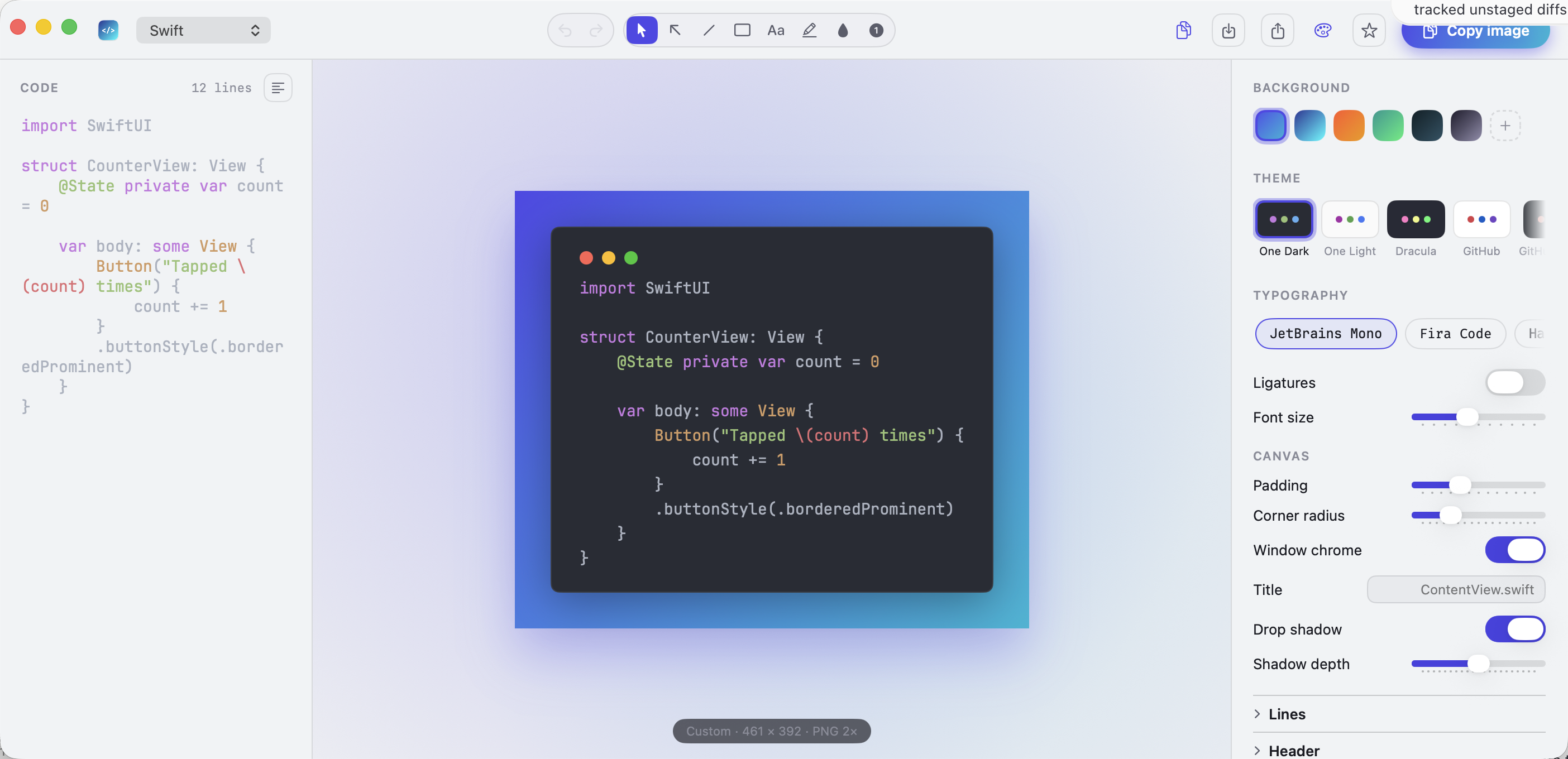
The hotkey covers the common case. Open the editor for everything else — captured from the real build.
A studio for one image.
Code on the left, the preview floating in ambient light at the center, the style inspector on the right. Open one live file for session-only refresh after saves, with local edits protected before reload.
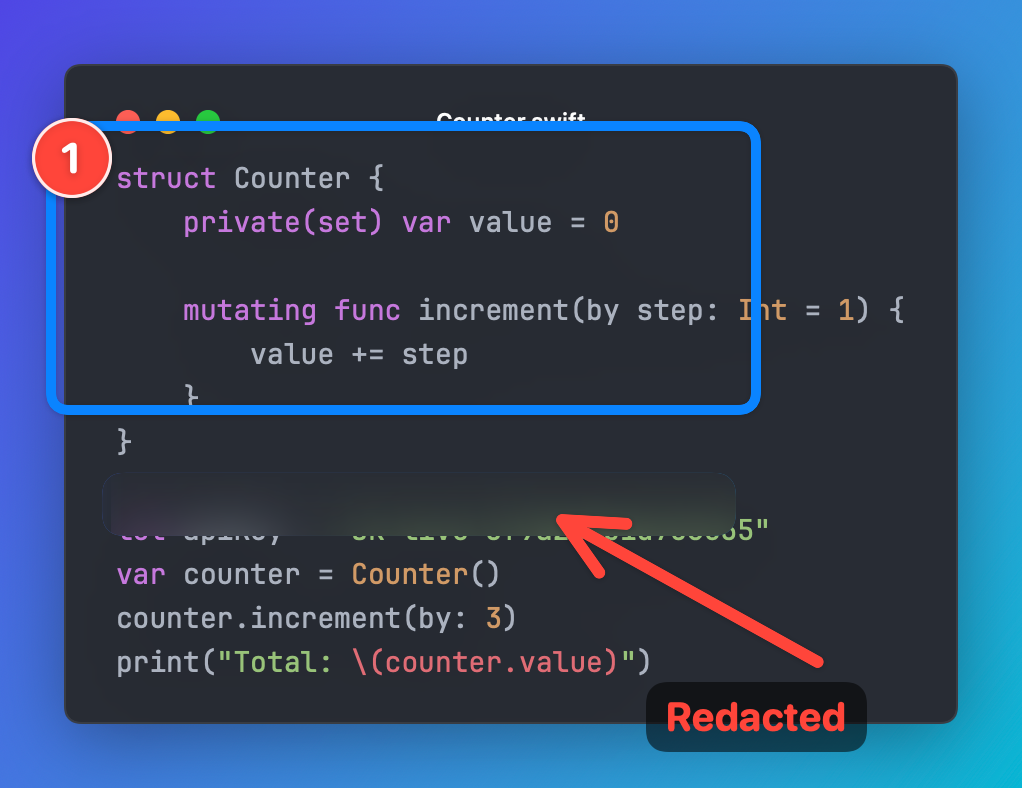
A CleanShot-style palette built in: arrows, boxes, text, a highlighter, blur and redaction, and numbered counters — drawn straight on the live preview. And Redact secrets scans the capture for API keys, tokens, and passwords and blurs those lines in one click — image and copyable text alike.
Arrows & boxesBlur / redactCountersSecret scan
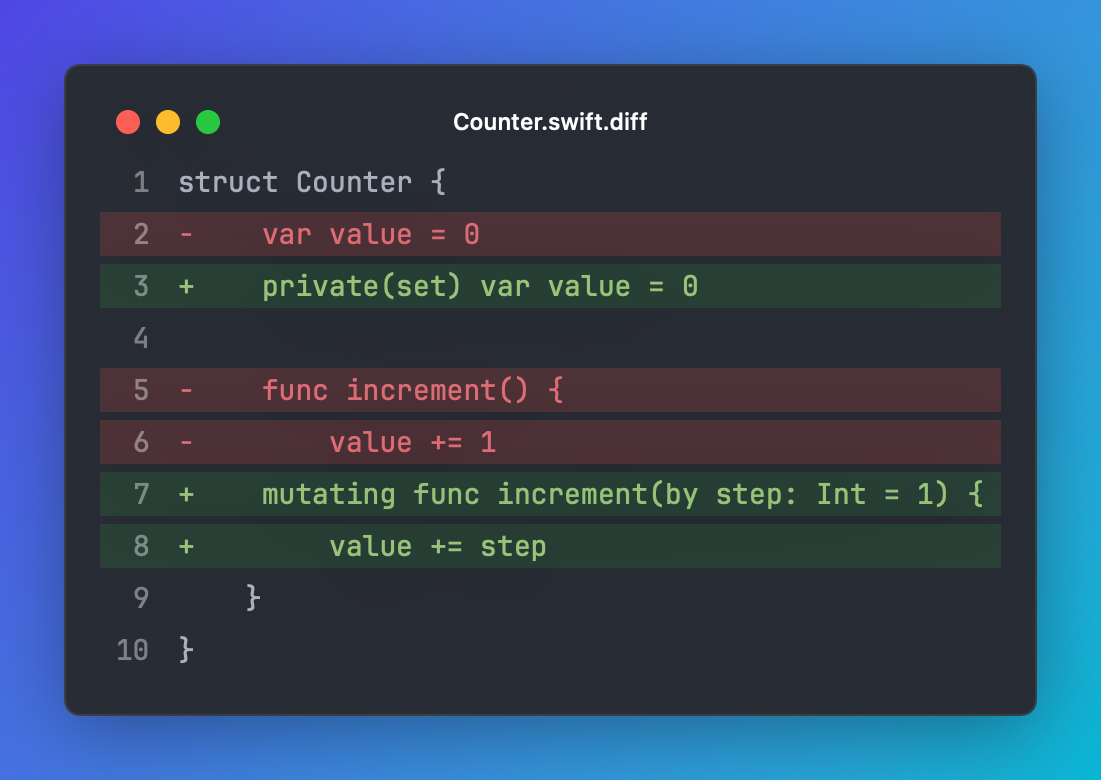
Diffs that read like GitHub.
Paste a unified diff and Vitrine bands added lines green and removed lines red, with line numbers — perfect for PR write-ups and release notes.
Unified diffLine numbers33 syntax languages
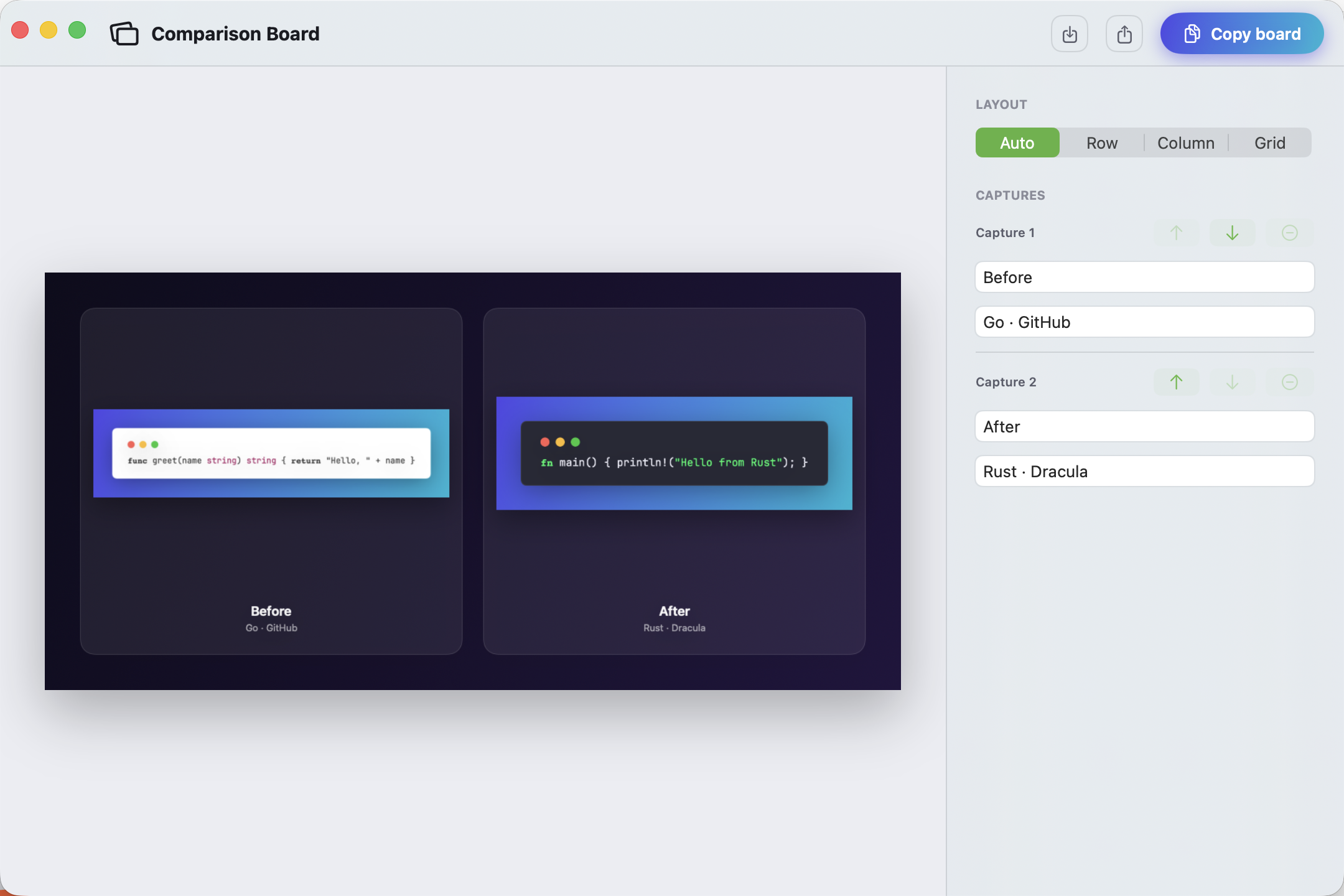
Turn captures into one clear story.
Available in Vitrine 1.0: select two to four items from Recents, keep their order visible, then edit captions and layout in a dedicated comparison board. Copy, save, or share the result; the board keeps finished pixels, not source paths, and disappears when its window closes.
Vitrine 1.02–4 capturesFour layoutsSession-only
Keep a workspace visually consistent.
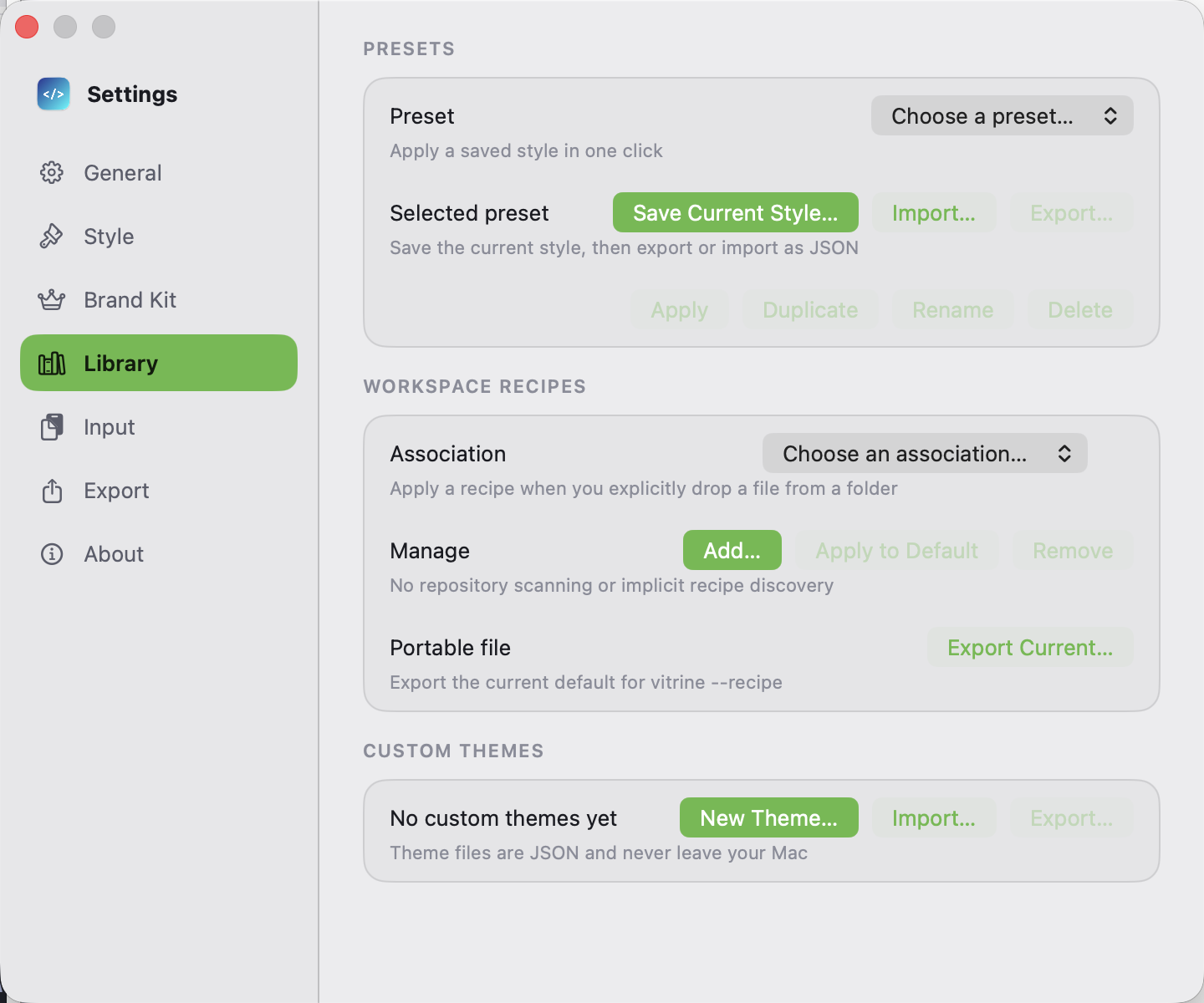
Available in Vitrine 1.0: export the current style and safe header defaults as a path-free JSON recipe. Associate it with a folder on this Mac for explicit file drops, or pass that same file to vitrine --recipe; neither path scans a repository or discovers private configuration.
Select code anywhere — your editor, a terminal, a webpage — and copy it as you always would.
⌘C
02
Press the hotkey
Vitrine reads the clipboard, detects code or a URL, and sends each input to its matching workflow.
⇧⌘S
03
Paste the image
Code captures put a retina PNG on your clipboard. URL snapshots open their Web Snapshot editor for viewport and export controls.
⌘V
And
The details that matter.
Private by design
Rendering stays on your Mac — no Vitrine cloud renderer, account, analytics, or telemetry. The network is used only for updates, license activation, and content you explicitly ask it to load.
Export & share
Retina PNG/PDF/HEIC to clipboard, file, or Share Sheet, plus AVIF when macOS provides its ImageIO writer. Open one session-only live file, export a path-free workspace recipe in Settings, associate it locally with a folder, or pass it explicitly to the vitrine CLI.
Web snapshots
Render pasted HTML locally, or capture a webpage at several viewports at once — social, desktop, Full HD, mobile — composed into a shareable responsive board. The requested page is loaded and rendered in WebKit on your Mac; there is no remote screenshot service, and the first capture shows a privacy disclosure.
One page, every screen
Capture every viewport at once.
Point Vitrine at a URL or pasted HTML and it renders the page at several viewports in a single pass — social, desktop, Full HD, mobile — then composes them onto one shareable responsive board. Pasted HTML is rendered offline; URL capture is available in the direct-download build after disclosure and fetches the requested page in WebKit on your Mac.
Social card1200 × 630
Desktop1440 × 900
Phone390 × 844
Terminal
Even full-screen TUIs.
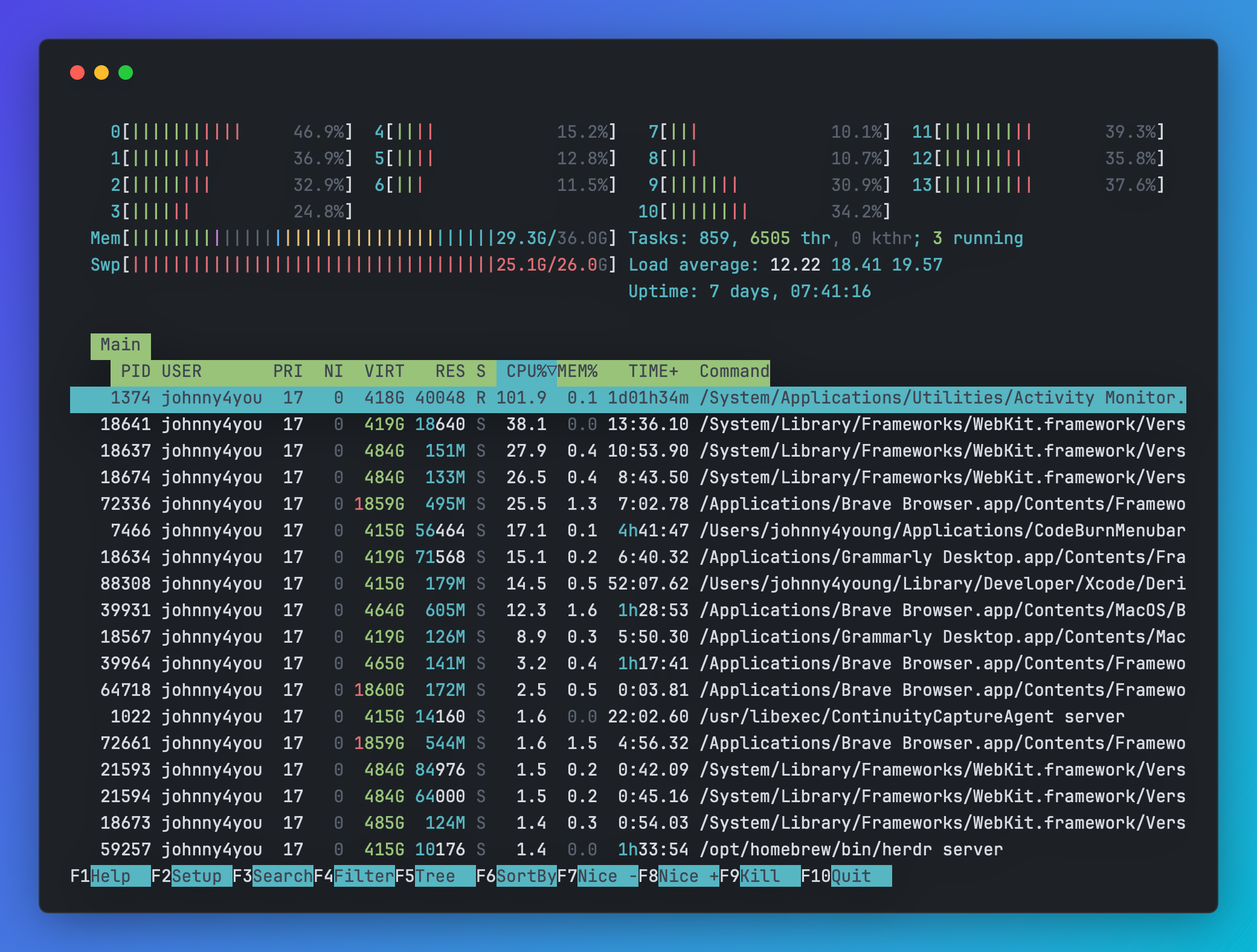
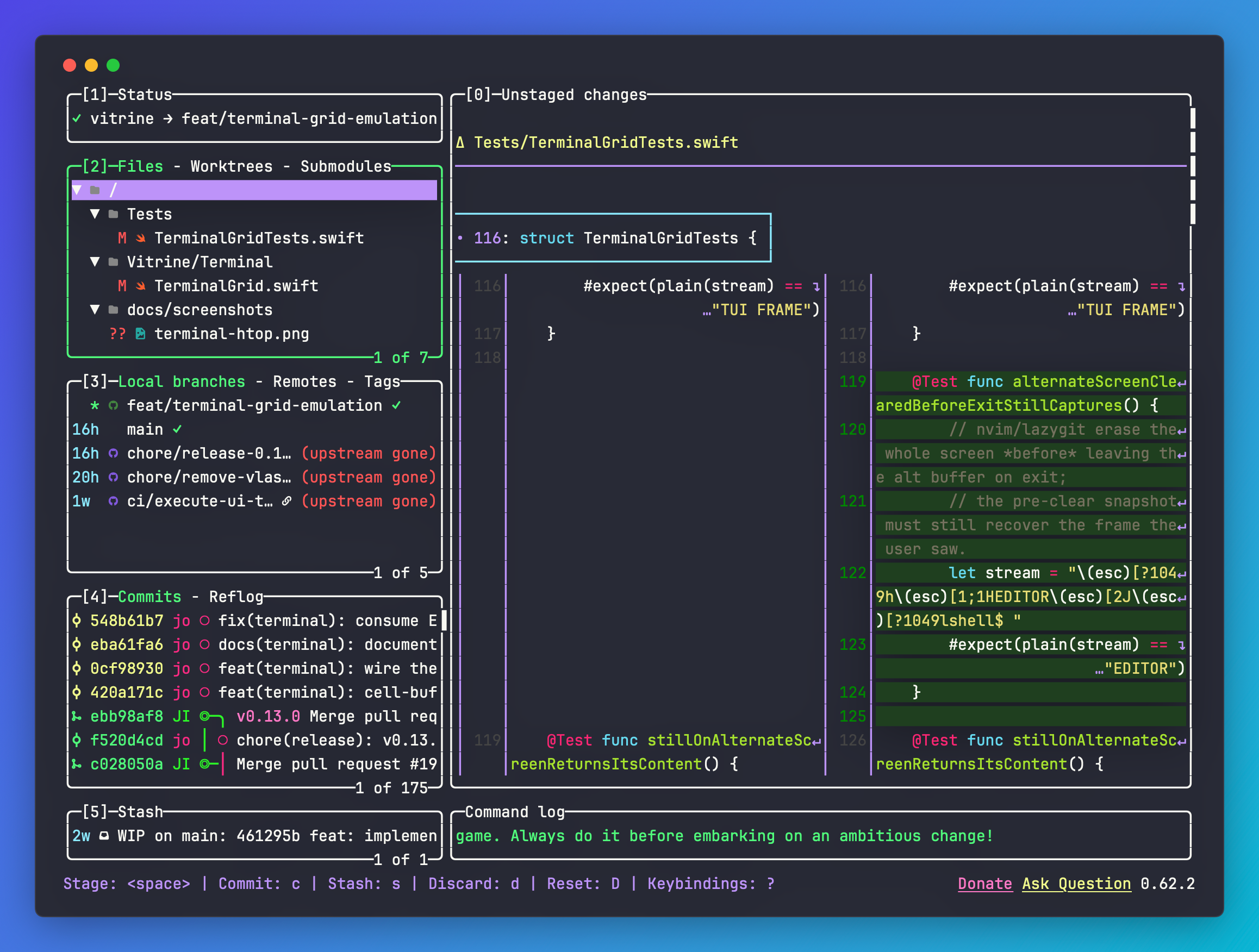
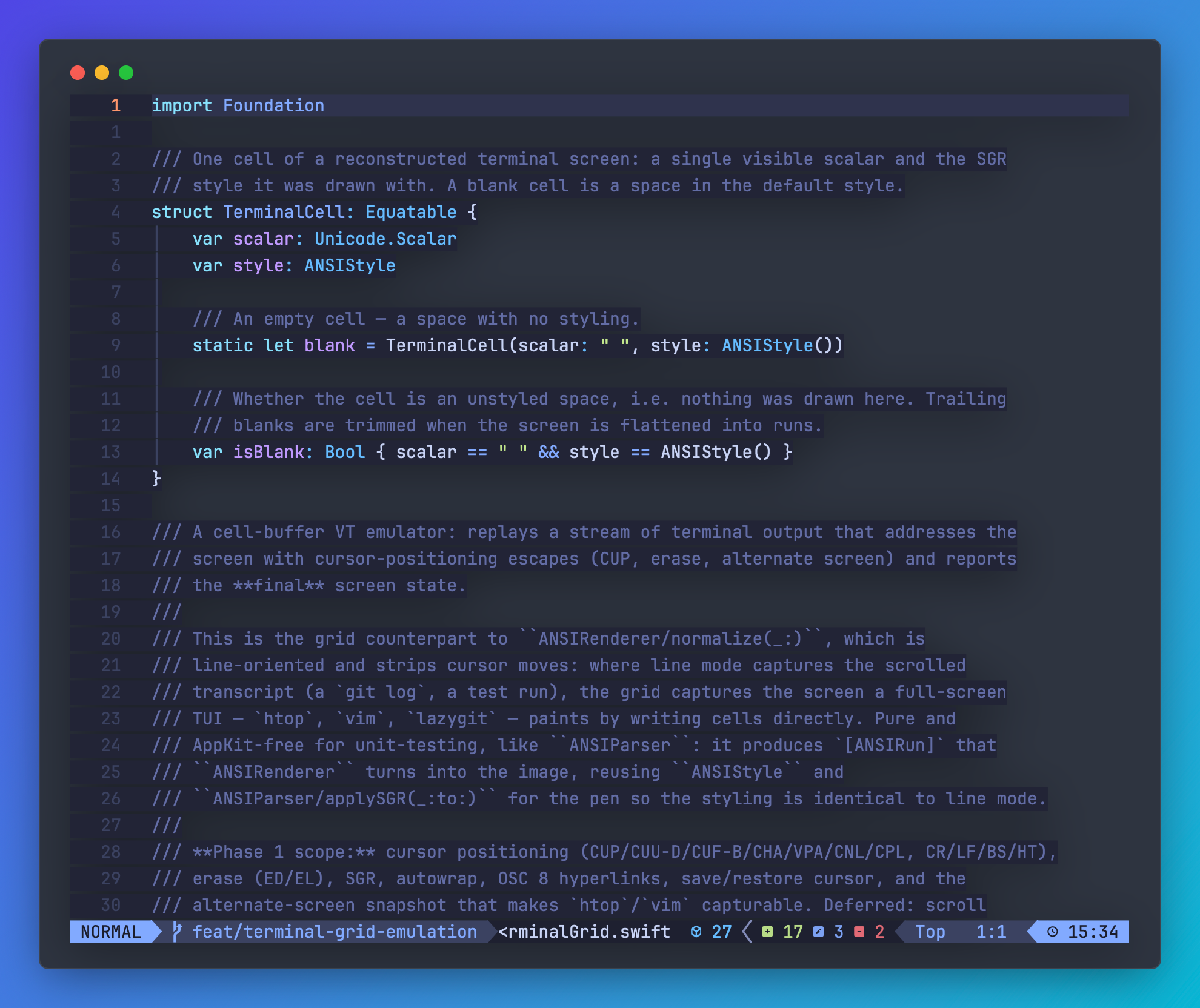
Paste or vgrab colored terminal output — and now full-screen apps like htop, lazygit, and Neovim too. Vitrine reconstructs the final screen — every cursor move and color, wide CJK and emoji included — in your theme.
htop · One Darklazygit · Draculanvim · Nord
Changelog
What's new
The highlights from the newest Vitrine release, available without waiting for a network request.
Version 1.2.3
An editor that keeps up
Typing stays light. A keystroke no longer re-measures the whole editor window or redraws the style inspector; only the views that show your text update.
Sliders update once per step. Padding and font-size changes evaluate the editor once instead of twice, and the code editor reapplies its font only when the font changes.
Revisited styles reuse their highlighting. Going back to a font size or theme you already tried skips highlighting the same code again.
The signed app ships only what it runs. Development and QA launch hooks are compiled out of release builds, and the command line no longer compiles into the app.
MIT-licensed and free to use. Core capture and editing remain free: no watermark, no resolution cap, no nags. PRO is an optional one-time license — no subscription.
There is no expiring trial. Use the free core for as long as you like, then upgrade only when Brand Kit, multi-size/carousel workflows, or advanced automation earn their keep.
$19.99$25Early bird · 2026 only
The current checkout price is $19.99 as a one-time purchase. The planned regular price is $25 after the 2026 launch period.
Brand Kit — your logo, handle, and accent as a watermark on every export
Multi-size one-pass export — every platform size into a folder in one go
Advanced automation — general vitrine rendering, multi-size, batch, vpane, and Shortcuts (basic vgrab stays free)
Pay once, then activate in the app with the license key you receive by email. PRO prompts appear only when you invoke a PRO action, never at launch.
Install
Two commands away.
Homebrew and the signed, notarized DMG are the canonical channels. Homebrew puts the app and CLI on your PATH; DMG installs can enable the CLI from Settings. The optional App Store build is GUI-only.