Local automation for macOS

From one command to an image that explains itself.

The CLI uses the same visual engine as the app. Render files, pipes, Git diffs, terminal output, and local images; then copy, save, open the editor, or produce complete asset sets for documentation and CI.

⌘K

visible results · Press ⌘K to search

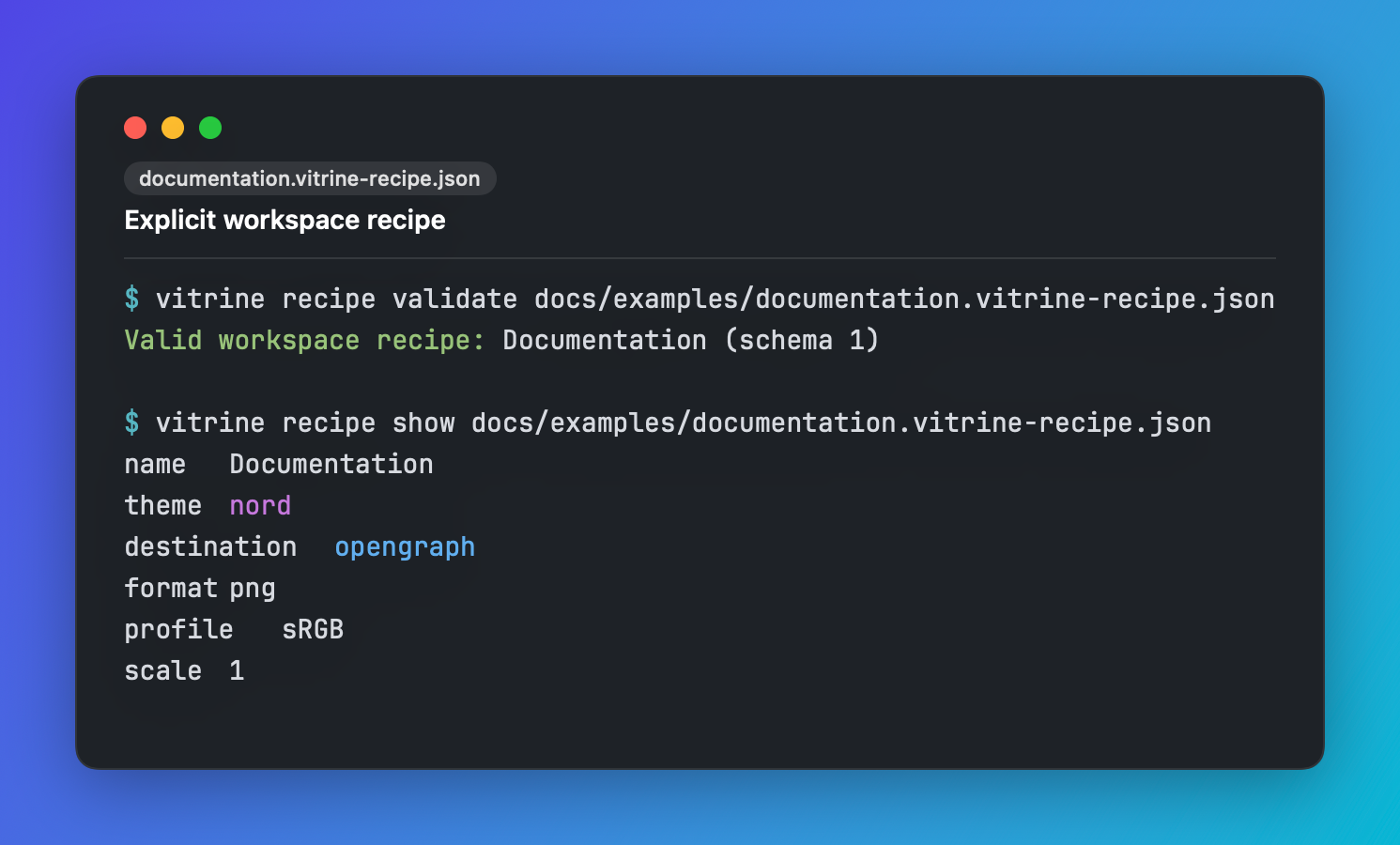
A Vitrine capture showing recipe validate and recipe show for one explicitly named workspace recipe.
01 · Start here

Install and verify

Homebrew installs the app and puts vitrine on your PATH. With the DMG, enable it from Settings ▸ General ▸ Command-line tool.

brew install --cask johnny4young/tap/vitrine
vitrine --version
Availability. The App Store build does not include the CLI. Rendering commands require an active PRO license in the direct-download build; version, list, and recipe work without rendering.

Your first image

Start without configuring anything. Vitrine infers Swift from the extension, uses One Dark and the aurora background, and writes a retina PNG.

vitrine render Sources/App.swift --out app-card.png
02 · Commands

Command map

Choose the verb by the result you need; you do not have to memorize flags to get started.

renderCreate one image

Render a source file, standard input, a Git diff, or a local image. Write it to disk, copy it, or hand the source to the editor.

vitrine render <input> --out <image> [options]
multi-sizeOne source, many destinations

Load one source once, then export deterministic sizes such as OpenGraph, X, LinkedIn, and Story into one folder.

vitrine multi-size <input> --out <folder> [--presets <ids>]
batchRender a folder safely

Turn a source tree into image assets with recursive discovery, extension filters, dry runs, manifests, and strict CI exit behavior.

vitrine batch <input-folder> --out <output-folder> [options]
recipeInspect portable style recipes

Validate or display one explicitly named recipe without rendering. Vitrine never searches a repository or parent folder for configuration.

vitrine recipe <validate|show> <path> [--json]
listDiscover valid local identifiers

List themes, languages, presets, fonts, backgrounds, frames, formats, profiles, and other values shipped by the installed build.

vitrine list <catalog> [--json]
versionVerify the installed build

Print the CLI marketing version and build number before AppKit starts. This is safe and inexpensive in setup scripts.

vitrine --version [--json]
shell-initInstall terminal capture helpers

Print the shell functions behind vgrab and vpane. Nothing runs in the background; the helpers only act when you invoke them.

vitrine shell-init [zsh|bash|fish]
03 · Workflows

Practical workflows

Complete examples for real tasks. Copy one and change only the paths.

Render your first file

Language is inferred from the filename and the output format from the extension.

vitrine render Sources/App.swift --out app-card.png

Turn a pipe into a clipboard image

Use a filename hint so syntax detection and the visible metadata remain useful.

cat Component.tsx | vitrine render --stdin \
  --stdin-name Component.tsx --copy

Make a focused PR image

Read Git directly, keep stable diff prefixes, and limit the image to the paths you are discussing.

vitrine render --git-diff main...HEAD \
  --git-path Vitrine/CLI --git-context 6 \
  --out cli-review.png

Capture only staged changes

Useful before committing: the image matches the index, not unrelated work in your working tree.

vitrine render --git-staged --out staged-review.png

Share a terminal command with context

vgrab preserves color and adds the project, Git branch when available, and exact command above the result.

vgrab npm test
vgrab -e git status
vgrab --no-context env | sort

Use --no-context whenever arguments, paths, or branch names should stay private.

Beautify a product screenshot

Local image input can use the same canvas, background, shadow, and browser or device frames as the app.

vitrine render --image dashboard.png --out showcase.png \
  --frame browser --frame-appearance dark \
  --window-title app.example.com --background night

Reuse one workspace style

Inspect the recipe first, then name it explicitly when rendering. Command-line flags still win.

vitrine recipe validate docs.vitrine-recipe.json
vitrine recipe show docs.vitrine-recipe.json
vitrine render README.md --out readme.png \
  --recipe docs.vitrine-recipe.json --scale 2

Redact before creating sidecars

Detected secret rows are replaced in the image and every copyable text sidecar.

vitrine render config.swift --out safe.png \
  --redact-secrets --sidecars all

A visual --blur-box does not sanitize source text. Use --redact-lines or --redact-secrets for sensitive content.

Build a social image pack

One source is rendered at each destination size with stable filenames.

vitrine multi-size launch.swift --out launch-assets \
  --presets twitter,linkedin,opengraph \
  --recipe launch.vitrine-recipe.json

Make batch generation CI-friendly

Dry-run first, then require at least one input, fail on skipped files, and retain machine-readable evidence.

vitrine batch Sources --out docs/cards --recursive \
  --include-ext swift,md --dry-run --fail-on-empty

vitrine batch Sources --out docs/cards --recursive \
  --include-ext swift,md --fail-on-empty --fail-on-skipped \
  --manifest docs/cards/manifest.json \
  --skipped-report docs/cards/skipped.json

Start in Terminal, finish in the editor

Hand the loaded source to Vitrine when a script gets you close but the final image needs manual annotation.

vitrine render --git-diff main...HEAD --edit
04 · Options

Option reference

This reference follows the installed binary’s help. Search to find any flag in seconds.

Input and editor handoff

Choose exactly one source, then optionally narrow or name it.

--stdin

Read source text from standard input.

--stdin-name<name>

Infer language and default metadata from a filename hint without reading that file.

--image<path>

Beautify one local image instead of rendering text.

--git-diff<range>

Load a local revision or range with /usr/bin/git, without a shell or network fetch.

--git-staged

Load only changes staged in the current repository.

--git-path<path>

Limit a Git source to a literal path; repeat for several paths.

--git-context<0...100>

Set unchanged lines around each hunk; the default is 3.

-e, --edit

Open the source in Vitrine instead of writing or copying an image.

Output and process control

Choose where the result goes and how scripts observe success.

-o, --out<path>

Image path, or output folder for multi-size and batch.

--copy

Copy the rendered image to the macOS clipboard.

--format<png|pdf|heic|avif>

Select output encoding. A known file extension selects it automatically when omitted.

--profile<srgb|p3>

Select the PNG color profile; sRGB is the default.

--scale<1|2|3>

Multiply logical canvas dimensions into final pixels.

--preset<id>

Use one destination size from vitrine list presets.

--canvas-size<WxH>

Set an exact 64–2048 point logical canvas.

-q, --quiet

Hide success output while keeping errors visible.

--json

Emit structured success output for render, multi-size, batch, list, recipe, or version.

-v, --version

Print the installed marketing version and build number.

--no-overwrite, --no-clobber

Refuse to replace existing image or sidecar outputs.

-h, --help

Print local usage for the installed build.

Code and presentation style

Start from defaults, a recipe, or a built-in style preset; explicit flags apply last.

--theme<id>

Syntax theme from vitrine list themes.

--language<id>

Force a language instead of inferring it.

--style-preset<id>

Apply one immutable built-in presentation preset.

--recipe<path>

Load one explicitly named portable workspace recipe.

--font<family>

Code font family from vitrine list fonts.

--font-ligatures, --no-font-ligatures

Enable or disable programming ligatures.

--font-size<10...20>

Code font size in points.

--padding<16...64>

Canvas padding in points.

--corner-radius<0...48>

Code-card corner radius.

--shadow-radius<0...40>

Drop-shadow blur radius.

--terminal-width<1...1000>

Pin terminal reconstruction width; vgrab -w sets this automatically.

--wrap-columns<40...200>

Soft-wrap long code lines at a stable column.

--format-code, --tidy

Apply Vitrine’s local indentation tidy before rendering.

--line-numbers, --no-line-numbers

Show or hide the line-number gutter.

--chrome, --no-chrome

Show or hide rendered window chrome.

--shadow, --no-shadow

Show or hide the rendered drop shadow.

Canvas and background

Use one background source; image modifiers require --background-image.

--transparent

Render a real alpha background.

--background<id>

Built-in gradient from vitrine list backgrounds.

--background-color<hex>

Solid RGB or RGBA color.

--background-gradient<hex,hex,...>

Custom gradient with at least two colors.

--background-angle<0...360>

Direction for a custom gradient; default 135.

--background-image<path>

Use one local image as the canvas background.

--background-fit<fill|fit>

Crop edge-to-edge or keep the whole background image.

--background-blur<0...40>

Blur a background image locally.

--background-dimming<0...1>

Apply a normalized dark overlay to a background image.

Local image framing

These controls apply when --image is the input.

--frame<id>

Use none, macos-window, browser, macbook, or iphone.

--frame-appearance<auto|light|dark>

Control chrome appearance for a selected frame.

Titles and metadata

Add enough context for the image to make sense after it leaves your repository.

--window-title<text>

Title in rendered window or browser chrome.

--filename<text>

Filename chip in the metadata header.

--title<text>

Primary metadata title.

--caption<text>

Supporting caption below the title.

--language-badge, --no-language-badge

Show or hide the detected language badge.

Annotations, focus, and redaction

Coordinates are normalized from 0 to 1 so scripted marks scale with the canvas.

--callout<text>

Add one text callout.

--callout-x, --callout-y<0...1>

Set the callout anchor; provide both together.

--callout-color<hex>

Callout text color.

--callout-size<2...28>

Callout visual weight.

--counter<1...99>

Add one numbered badge.

--counter-x, --counter-y<0...1>

Set the counter center; provide both together.

--counter-color<hex>

Counter fill color.

--counter-size<2...28>

Counter visual weight.

--arrow<x1,y1,x2,y2>

Draw a repeatable arrow from tail to head.

--arrow-color, --arrow-size<hex> / <2...28>

Shared color and weight for every arrow.

--line<x1,y1,x2,y2>

Draw a repeatable straight line.

--line-color, --line-size<hex> / <2...28>

Shared color and weight for every line.

--rectangle<x1,y1,x2,y2>

Outline a repeatable region.

--rectangle-color, --rectangle-size<hex> / <2...28>

Shared color and weight for every rectangle.

--highlighter<x1,y1,x2,y2>

Highlight a repeatable region.

--highlighter-color<hex>

Shared marker color.

--blur-box<x1,y1,x2,y2>

Visually blur a region; this does not sanitize sidecars.

--highlight-lines<spec>

Highlight 1-based rows such as 3,7-9,12.

--redact-lines<spec>

Redact rows in the image and replace them in sidecars.

--redact-secrets

Scan for likely secrets and redact matching rows.

--focus-lines, --no-focus-lines

Dim or restore rows outside the highlight.

--diff-bands, --no-diff-bands

Show or hide GitHub-style added and removed bands.

Brand watermark

Add text, a local logo, or both through the same render-core overlay as Brand Kit.

--watermark<text>

Watermark text.

--watermark-logo<path>

Local logo image.

--watermark-color<hex>

Text tint; requires watermark text.

--watermark-position<corner|free>

Use a named corner or free placement.

--watermark-x, --watermark-y<0...1>

Normalized center for free placement; provide both.

Multi-size and batch automation

Use stable destination sets and make partial work visible to CI.

--presets<ids|all>

Multi-size destination ids, comma-separated; all is the default.

--recursive

Walk nested batch folders and preserve relative paths.

--dry-run

Discover and load batch inputs without writing artifacts.

--include-ext<list>

Only consider comma-separated extensions.

--exclude-ext<list>

Ignore comma-separated extensions before loading.

--fail-on-empty

Exit non-zero when no file would render.

--fail-on-skipped

Exit non-zero after completing when any input was skipped.

--skipped-report<json>

Write a machine-readable skipped-file report.

--manifest<json>

Write successful or planned output paths and dimensions.

Accessible source sidecars

Ship selectable source next to the image without changing the rendered pixels.

--text-sidecar

Write a plain-text .txt file.

--markdown-sidecar

Write a Markdown image reference and fenced source.

--html-sidecar

Write an HTML image embed and escaped source.

--sidecars<text,markdown,html|all>

Enable several sidecars in one option.

05 · Workarounds

Common problems and workarounds

Differences between Homebrew, DMG, App Store, and development builds explain most installation issues.

vitrine: command not found

With Homebrew, run brew reinstall --cask johnny4young/tap/vitrine. With the DMG, open Settings ▸ General ▸ Command-line tool ▸ Install… or create the manual link documented in README.

“Vitrine PRO is required”

Activate the license in the direct-download app, then retry. Release builds ignore VITRINE_PRO_UNLOCK by design.

The App Store build has no binary

That is intentional: this channel does not distribute tools on PATH. Install the signed DMG or Homebrew cask to use the CLI.

Language inference chose incorrectly

Pass --language <id>, or add --stdin-name with a useful extension when piping. Inspect vitrine list languages for valid ids.

The output already exists

Omit --no-overwrite to replace it, choose another --out, or remove the old artifact. Batch reports existing targets as skipped.

Text remains after --blur-box

--blur-box changes pixels only. Use --redact-lines or --redact-secrets to sanitize copyable sidecars too.

A pipe loses ANSI colors

Many programs disable color outside a TTY. Use vgrab, or force color in the producer before piping into vitrine render --stdin.

I need to inspect the result before export

Replace --out or --copy with --edit. Vitrine opens the source in the editor for manual styling and annotation.

Privacy boundary

Rendering code, terminal output, and local images needs no network, Screen Recording, or Accessibility. A recipe loads only when you pass --recipe; Git runs directly without a shell, pagers, textconv, or implicit fetches.